Last updated on जून 23, 2026
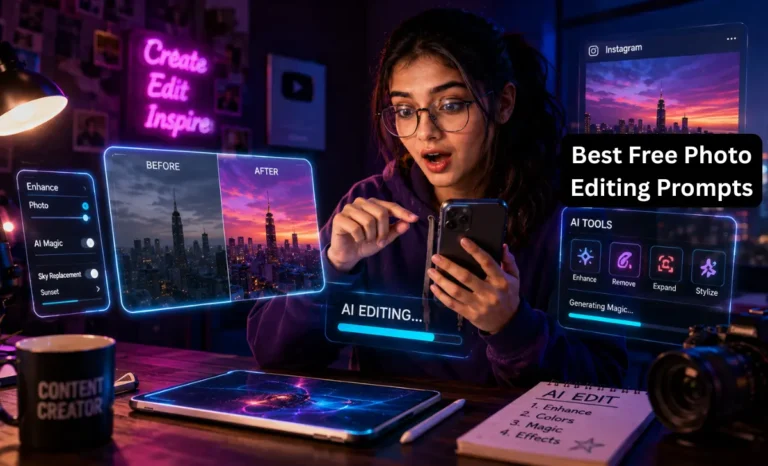
नमस्ते दोस्तों कैसे हो आज कल जब भी Instagram खोलो तो हर दूसरी reel में एक cinematic photo दिखती है neon lighting, dramatic shadows, filmy background और मन में आता है कि यार इतना अच्छा edit कहाँ से सीखा इसने? तो अब आपको जयादा सोचने की जरूरत नहीं हैं क्योंकि हम लेकर आये हैं Best Free ChatGPT Photo Editing Prompts
जिससे आप भी अपनी फोटो को AI photo editing का use कर बहुत सुंदर बना सकते हैं।
अब photos edit करने के लिए Photoshop सीखने की या किसी editor को पैसे देने की ज़रूरत नहीं रही। बस एक अच्छा ChatGPT photo editing prompt लिखो और AI वो edit कर देता है जो पहले घंटों की मेहनत माँगता था।
Instagram creators, reel makers और YouTube thumbnail designers सब अभी इसी तरीके से अपनी photos को one click में cinematic बना रहे हैं।
इस Post में आपको मिलेंगे:
- Best ChatGPT photo editing prompts जो actually काम करते हैं
- Viral edit formula जो हर photo पर apply होता है
- Free AI tools जो mobile पर भी चलते हैं
- Common गलतियाँ जो beginners करते हैं
ChatGPT Photo Editing Prompts Kya Hote Hain?
सीधे शब्दों में prompt वो instruction है जो आप AI को देते हो।
जैसे किसी professional photographer को बोलो “भाई, इस photo में dramatic lighting लगाओ, background moody रखो और skin natural दिखे” वो उसी हिसाब से काम करेगा।
ठीक वैसे ही AI tools को जब आप detail में instruction देते हो वो उसी हिसाब से photo edit करते हैं।
एक छोटा prompt जैसे “photo edit karo” बहुत generic result देता है।
लेकिन एक detailed prompt जैसे:
Turn this normal selfie into cinematic portrait with neon lighting
यह prompt AI को exactly बताता है कि क्या चाहिए और result भी उसी हिसाब से आता है।
AI tools instructions कैसे समझते हैं?
AI tools NLP यानी Natural Language Processing इस्तेमाल करते हैं। इसका मतलब है ये आपके लिखे हुए शब्दों को पढ़ते हैं, समझते हैं कि आप क्या चाहते हो, और फिर उसी हिसाब से image generate या edit करते हैं।
जितना detailed prompt उतना बेहतर result। यही सबसे ज़रूरी बात है।
Best Free AI Tools for Photo Editing
ChatGPT
ChatGPT सीधे photo edit नहीं करता लेकिन यह आपके लिए perfect prompts लिखता है जो दूसरे AI tools में use होते हैं। इसके अलावा GPT-4o में image generation और basic editing भी आ गई है। ChatGPT को बोलो कि “मेरी इस photo के लिए cinematic editing prompt लिखो” और वो आपको एक ready-to-use prompt दे देगा।
Canva AI
Canva में Magic Edit और Magic Media features हैं। Photo upload करो, background हटाओ, नया background लगाओ सब कुछ mobile पर भी होता है। Beginners के लिए सबसे आसान tool है क्योंकि इसमें templates पहले से मिलते हैं।
Leonardo AI
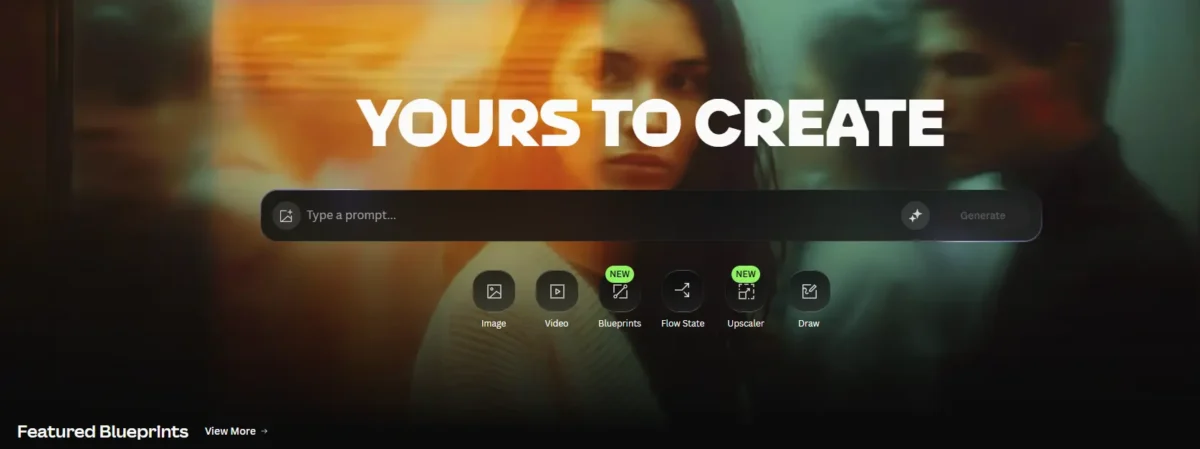
leonardo.ai पर free account बनाओ यहाँ realistic photo edits सबसे अच्छे बनते हैं। Cinematic portraits, dramatic lighting, anime style — सब Leonardo AI पर बहुत अच्छा आता है। Indian creators में यह tool बहुत popular हो रहा है।
PicsArt AI
PicsArt mobile के लिए सबसे बढ़िया app है। इसमें AI background remover, AI avatar maker, और photo enhancer सब मुफ्त में हैं। Hindi content creators जो phone से सब कुछ करते हैं, उनके लिए यह first choice है।
Best ChatGPT Photo Editing Prompts
यह section सबसे ज़रूरी है इन्हें copy करो अपने tool में paste करो और results देखो।
1. Cinematic Portrait Editing Prompt
Instagram reels और viral DPs के लिए सबसे ज़्यादा इस्तेमाल होने वाला prompt:
Transform this photo into cinematic portrait, soft neon lighting,
DSLR depth of field, ultra realistic skin texture,
dramatic shadows, movie style color grading
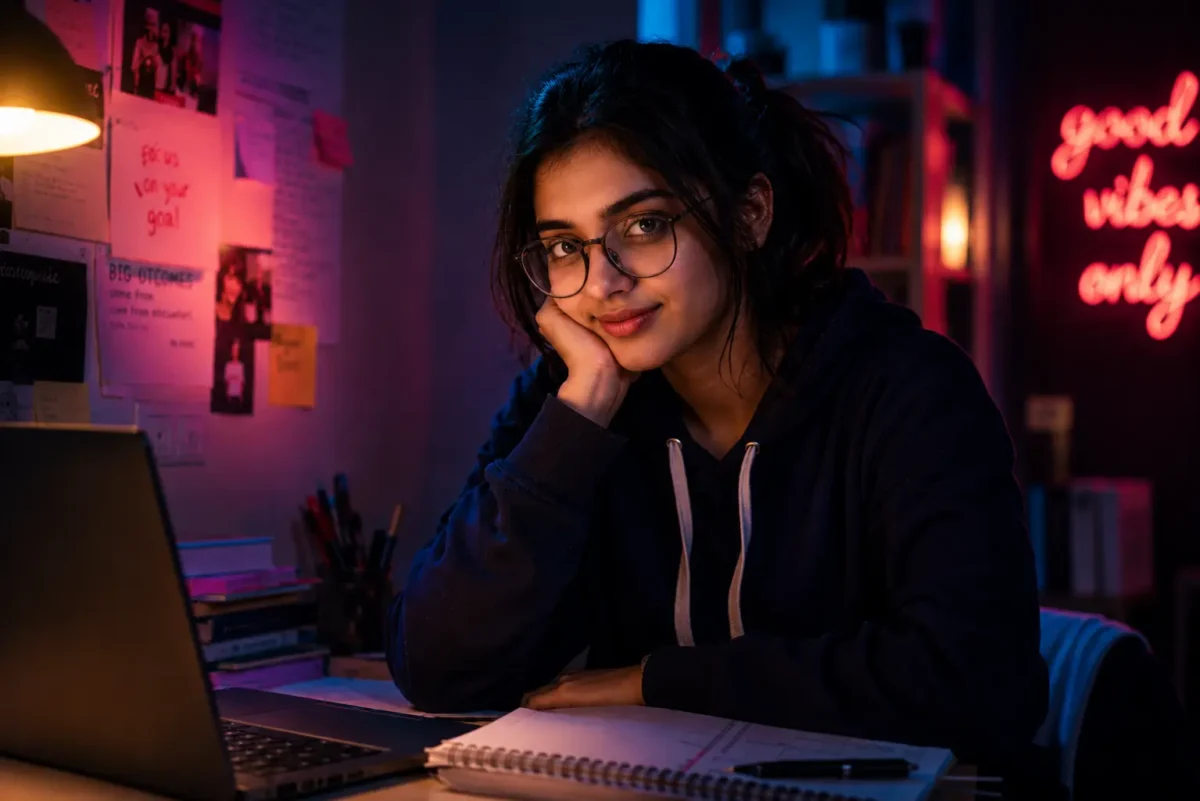
ये देखो मेने ऊपर वाली prompt का use कर ये फोटो बनाई हैं आप भी इस तरह की photos edit कर सकते हैं।
यह prompt क्यों काम करता है इसमें lighting, texture, shadows और style सब clearly बताया गया है। AI को अंदाज़ा लगाने की ज़रूरत नहीं पड़ती।
2. Instagram Influencer Edit Prompt
अगर आपको अपनी photo को premium influencer style देनी है:
Convert this selfie into premium Instagram influencer photo,
aesthetic background, glowing skin, modern fashion photography style,
ultra realistic
यह edit उन लोगों के लिए है जो अपनी Instagram profile को professional दिखाना चाहते हैं बिना किसी costly photoshoot के।
3. Background Change Prompt
साधारण background को हटाकर कुछ dramatic लगाना हो तो:
Replace background with luxury Dubai rooftop at sunset,
cinematic lighting, realistic reflections, premium lifestyle vibe
इस prompt से ordinary घर की background की जगह एक luxury rooftop आ जाती है और photo बिल्कुल real लगती है।
4. Rain Effect Prompt
Moody और emotional photos के लिए rain effect बहुत popular है:
Add realistic rain effect, wet street reflections,
moody cinematic atmosphere, neon lights, emotional movie scene look
Bollywood जैसा feel देता है यह edit। Reels पर इस तरह की photos बहुत viral होती हैं।
5. Anime Style Edit Prompt
अगर आपको अपनी real photo को anime character में बदलना है:
Convert this image into anime art style, vibrant colors,
detailed eyes, cinematic anime background, ultra detailed illustration
YouTube channel thumbnails और Instagram posts के लिए anime style बहुत trend में है — खास तौर पर young audience के बीच।
6. Professional LinkedIn Photo Prompt
Job seekers और professionals के लिए:
Turn this casual photo into professional corporate headshot,
clean office background, soft studio lighting, realistic business look
अच्छी LinkedIn photo के लिए professional photoshoot ज़रूरी नहीं — यह prompt काम करता है।
7. Old Photo Restoration Prompt
पुरानी family photos को नया जीवन देने के लिए:
Restore old damaged photo, improve quality,
sharpen face details, natural colors, realistic restoration
यह prompt उन लोगों के लिए बहुत काम आता है जिनके पास पुरानी damaged family photos हैं। AI उन्हें surprisingly अच्छी quality में restore कर देता है।
8. Wedding Photo Enhancement Prompt
शादी की photos को और beautiful बनाना हो तो:
Enhance wedding photo with cinematic golden lighting,
romantic atmosphere, ultra realistic details, luxury photography style
Wedding photographers और couples दोनों इस prompt का बहुत इस्तेमाल कर रहे हैं।
Viral AI Editing Prompt Formula
हर अच्छे prompt के पीछे एक formula होता है। एक बार यह formula समझ गए तो आप खुद के prompts बना सकते हो किसी भी photo के लिए।
Formula:
Subject + Edit Type + Lighting + Background + Mood + Quality
Example:
Indian boy + cinematic edit + neon lighting + rainy street + emotional mood + ultra realistic
इसे और समझो:
- Subject: Photo में कौन या क्या है — Indian girl, old man, couple, landscape
- Edit Type: Cinematic, anime, professional, vintage, glow-up
- Lighting: Neon, golden hour, soft studio, dramatic shadows
- Background: Rainy street, Dubai rooftop, mountain, minimal white
- Mood: Emotional, happy, mysterious, romantic, powerful
- Quality: Ultra realistic, 4K, DSLR quality, hyper detailed
इस formula से आप हर photo के लिए एक unique और effective prompt बना सकते हो। ChatGPT से भी इसी formula पर prompt लिखवा सकते हो।
Realistic AI Photo Editing Tips
सिर्फ prompt डालने से काम नहीं बनता कुछ बातें और ध्यान रखनी होती हैं।
“Ultra realistic” ज़रूर लिखो: यह शब्द AI को signal देता है कि edit natural और fake नहीं दिखनी चाहिए। बिना इसके कभी-कभी over-edited result आता है।
Lighting हमेशा mention करो: AI को पता होना चाहिए कि light कहाँ से आ रही है neon, golden, studio, natural। Lighting ही photo का mood बनाती है।
Google Gemini 3.1 Pro से स्मार्ट स्टडी कैसे करें छात्रों के लिए 2026 की सबसे बेहतरीन AI गाइड
Camera terms इस्तेमाल करो: “DSLR depth of field”, “85mm lens”, “bokeh effect” यह terms AI को professional photography style देते हैं। Result काफी बेहतर आता है।
Mood description दो: “Emotional”, “mysterious”, “powerful”, “romantic” — यह words AI को overall feel बताते हैं।
Short prompts मत लिखो: “Edit this photo” जैसा prompt बेकार है। जितनी detail, उतना अच्छा result।
Instagram Reels Ke Liye Best AI Editing Ideas
Glow-up edits: Before और after photo पहले ordinary, बाद में cinematic। यह format reels पर बहुत viral होता है।
Before/After transitions: CapCut में transition effect के साथ AI edited photo का reveal यह reel idea आजकल बहुत चल रहा है।
AI cinematic edits: Rain effect, neon lighting, dramatic shadows इन edits की reels पर लाखों views आते हैं। Formula simple है अपनी photo लो, cinematic prompt use करो, reel बनाओ।
Viral DP edits: “AI से अपनी DP यह बनाएं” इस type की reels पर लोग खुद try करके comment करते हैं जिससे reach बढ़ती है।
Thumbnail enhancement: YouTube creators अपने thumbnails को AI से dramatic और click-worthy बना रहे हैं।
Common Mistakes While Using AI Editing Prompts
बहुत छोटा prompt देना: “Make it beautiful” यह AI के लिए काफी नहीं है। Detail दो।
एक साथ बहुत ज़्यादा effects माँगना: Neon + rain + anime + vintage यह सब एक साथ माँगने से result confused हो जाता है। एक-दो effects में focus रखो।
Low quality source image use करना: अगर original photo blur या pixelated है तो AI भी अच्छा result नहीं दे सकता। कम से कम decent quality photo use करो।
Wrong aspect ratio: Reels के लिए vertical (9:16) और post के लिए square (1:1) export करने से पहले यह ध्यान रखो।
निष्कर्ष
AI photo editing अब सिर्फ बड़े creators के लिए नहीं रही। एक आम student या beginner creator भी आज ChatGPT photo editing prompts से वो results पा सकता है जो पहले सिर्फ professional editors कर सकते थे। जितना अच्छा prompt — उतना viral result। यह formula याद रखो।
Reels creators के लिए तो यह एक बहुत powerful tool बन गया है। Cinematic edit, rain effect, anime style सब कुछ मिनटों में तैयार। और audience को लगता है कि बहुत मेहनत की है।
आज ही शुरुआत करो ऊपर दिए किसी एक prompt को copy करो, Leonardo AI या Canva में जाओ, अपनी photo upload करो और result देखो। रोज़ एक नया prompt try करो एक हफ्ते में खुद फर्क नज़र आएगा।
ChatGPT से photo edit कैसे करें?
ChatGPT में photo upload करो (GPT-4o में यह feature है) और ऊपर दिए prompts में से कोई एक लिखो। या ChatGPT से एक prompt लिखवाओ और उसे Leonardo AI या Canva में use करो।
Best AI photo editing app कौन सा है?
Mobile के लिए PicsArt और Canva सबसे आसान हैं। Realistic और cinematic edits के लिए Leonardo AI सबसे अच्छा है। Beginners के लिए Canva से शुरुआत करना सही है।
Free AI editing possible है?
Canva का free plan, Leonardo AI का free account, Bing Image Creator और PicsArt — सब मुफ्त में काम करते हैं। बिना एक रुपया खर्च किए professional edits बन जाती हैं।
Realistic cinematic edit कैसे बनाएं?
Prompt में यह ज़रूर लिखो “ultra realistic, DSLR quality, cinematic lighting, natural skin texture।” और source image decent quality की रखो। Leonardo AI पर यह prompt try करो result बहुत अच्छा आता है।
Mobile से AI photo editing हो सकती है?
बिल्कुल PicsArt, Canva और CapCut तीनों mobile apps हैं। Leonardo AI और Bing Image Creator mobile browser में भी अच्छे से चलते हैं। सिर्फ phone से पूरी editing होती है।